
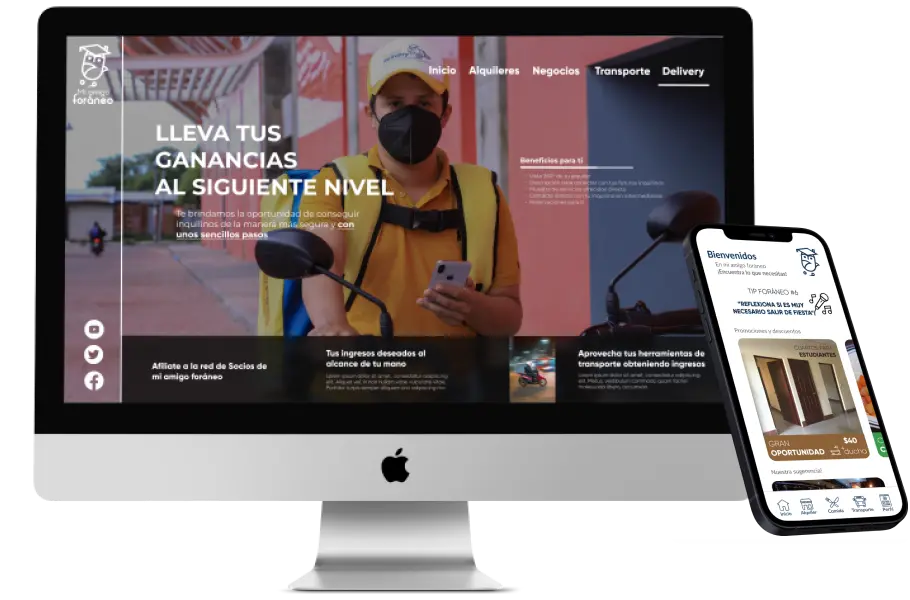
Mi Amigo Foraneo Website &
App
I worked on Mi Amigo Foraneo App and website as a user experience designer where I did user research, wireframing, user research, led SCRUM meetings, prototyping, and user testing. In this project I delivered both designs in a period of one year since it is a project where I constantly received feedback to improve and since this project was created within a company that I tried to form with my friends was the flagship product of MAGNI S.A. a technological enterprise of Nicaragua.
My Role
UX Designer
Visual Designer
Project Duration
Five Months
Collaborators
2 WordPress Developers
1 Graphic designer
What are the opportunities for improvement?
Foreign students need real and affordable prices to pay for their education, transportation, and food but many of the Apps on the market have too high prices and the owners of family food businesses do not have the knowledge or resources to create their digital menu to offer on delivery platforms, in addition to these the costs of these platforms or App are very high for the reality of Nicaragua this generates that these people are excluded directly by their limited resources.
- Students need access to real prices that are within their budget for food, transportation, and rent.
- Existing apps do not fit the Nicaraguan context which makes their prices too high for students and business owners.
- Small food businesses do not have the knowledge or financial resources to afford the creation of digital menus.
The solution
Design an App focused on showing students all the offers of food, transportation, and rentals that are adjusted to the real prices of the Nicaraguan market so that they can access the App as a reference and easy to use App. In the same way, I designed a website where the owners of rentals, family food business owners, and cab drivers can pay a subscription to join the App and start providing services to create their digital menu, and profiles and show their buildings for rent. Taking into account the needs of students to find favorable prices that fit their budget and for customers to provide them with tools so they can compete by creating their digital menu and allowing them to access the customers they need to run their business.

Empathize
What are the company's goals?
What is the target market?
What are the pain points?
Who are your competitors?
What is your brand identity?

Define
How to define the User Persona?
What is the problem?
How will the meetings be organized?
What are the deliverables?

Ideate
Create Site Map
Start defining User Flows
Perform the Sketch process

Prototype
Designing Lo-Fi Wireframes
Design Hi-Fi Wireframes
Create Design Systems

Test
Obtain Stakeholder feedback
Conduct Usability Study
Validate the user experience
Design Thinking
Methodology
The Design Thinking methodology is a tool that fits perfectly to understand the company, user, and the digital product that is being worked on, using tools, tests, and deliverables that belong to the user research process, prototyping, and usability testing it is possible to develop a high-quality product.
In order to lay the groundwork, it was necessary to document the users and to propose the first interfaces of the instructional website.
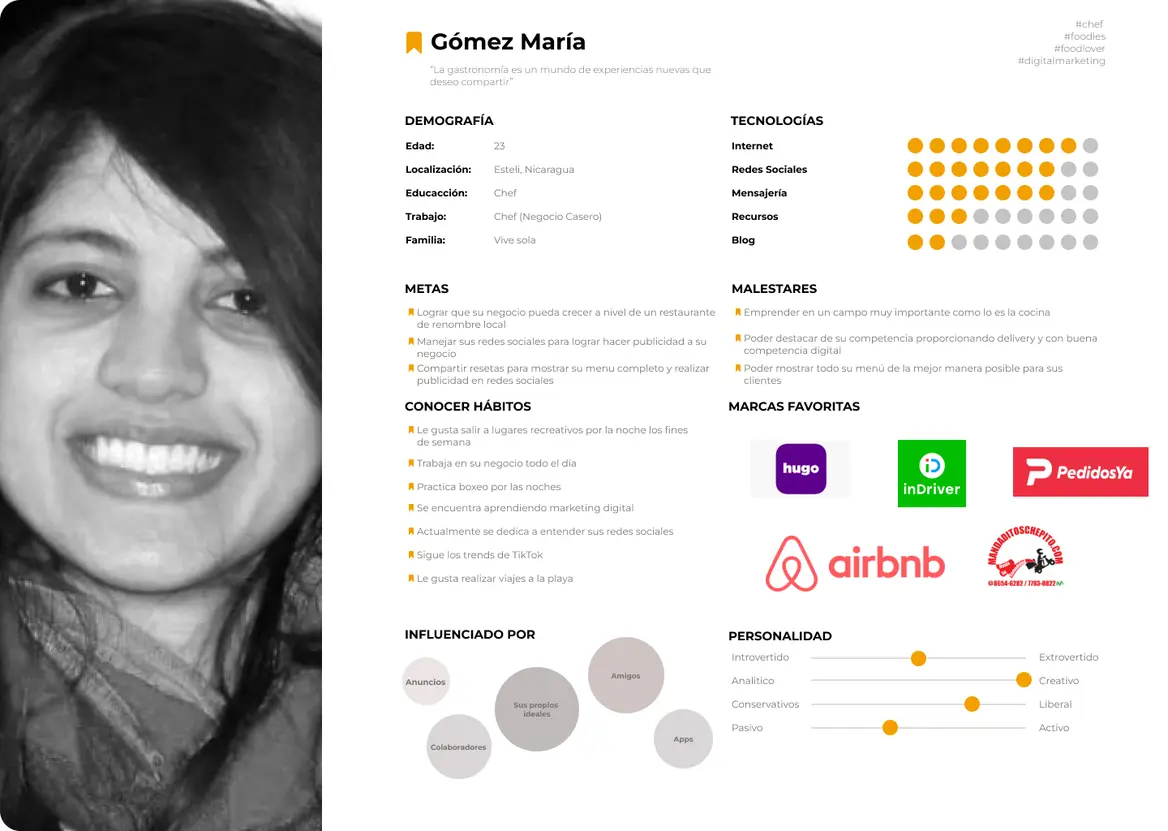
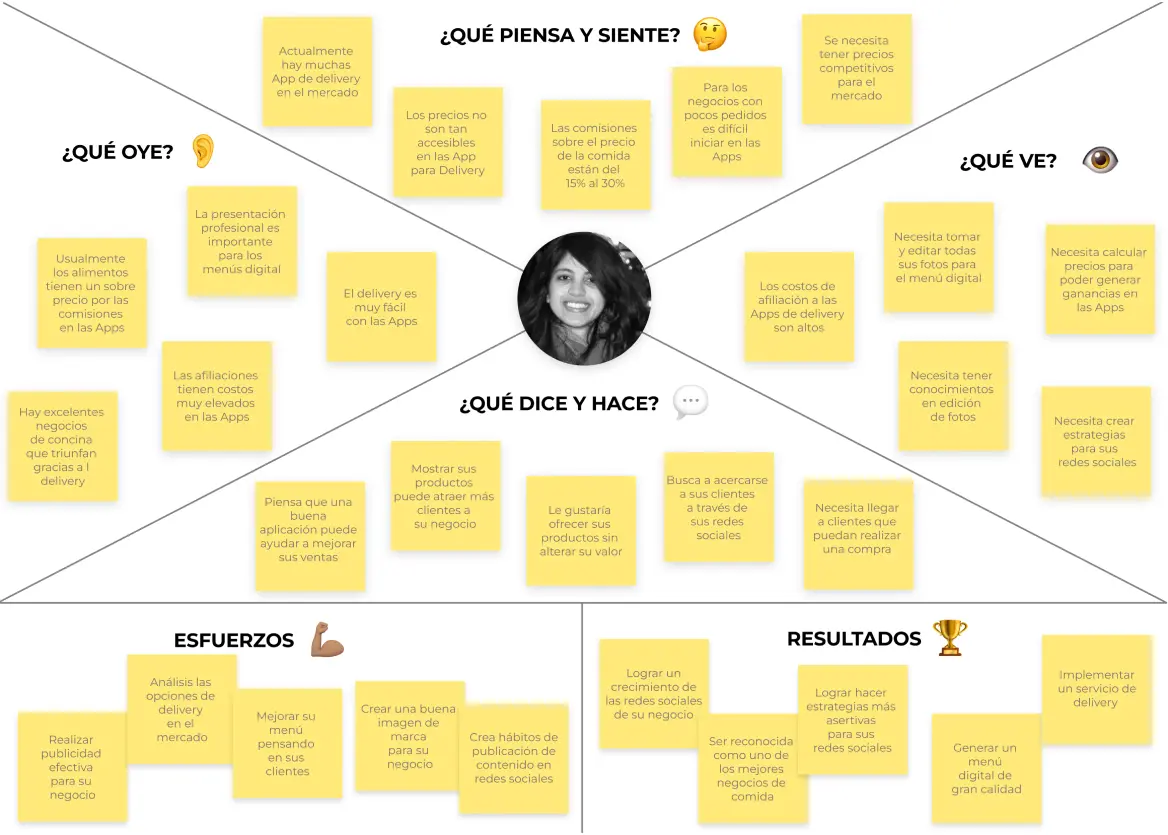
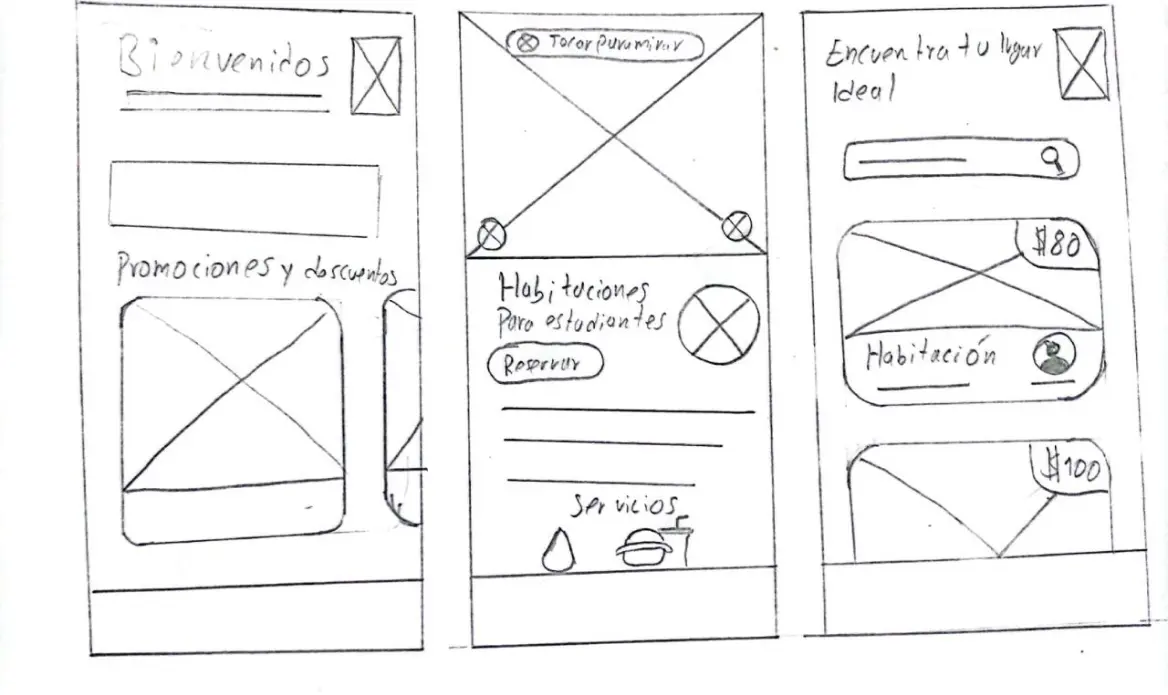
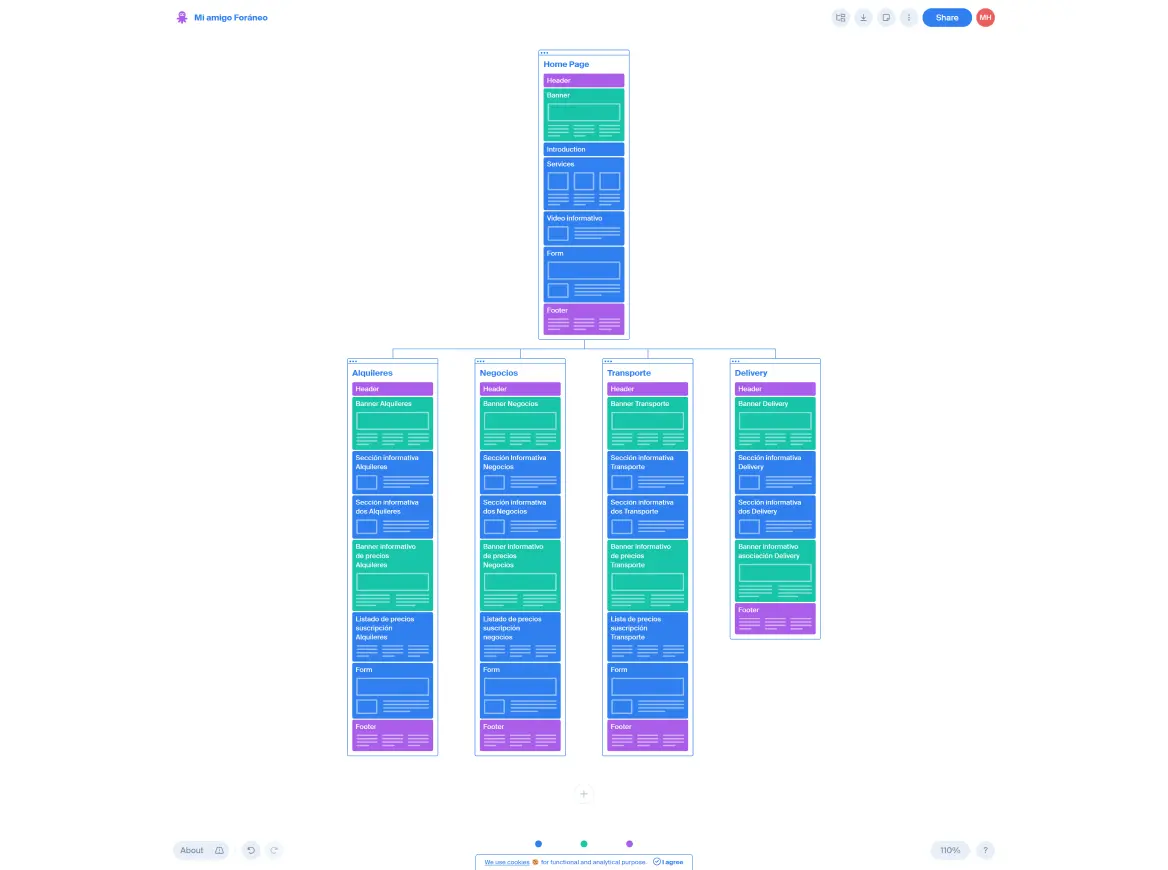
In order to correctly plan the project it was necessary to investigate the users and from this create a user persona that would lead us to generate a user journey map understanding in depth the flow that our user persona should follow, then plan the site map developing an information architecture that allows easy access to the information that the user is looking for, which leads to the creation of the first interfaces on paper or digitally and when completing the wireframe it is necessary to create a design system to deliver it to the developers so that they have the typography, colors, and elements that are part of the overall design of the website.
Areas of opportunity to connect with
students and business owners
are shown below
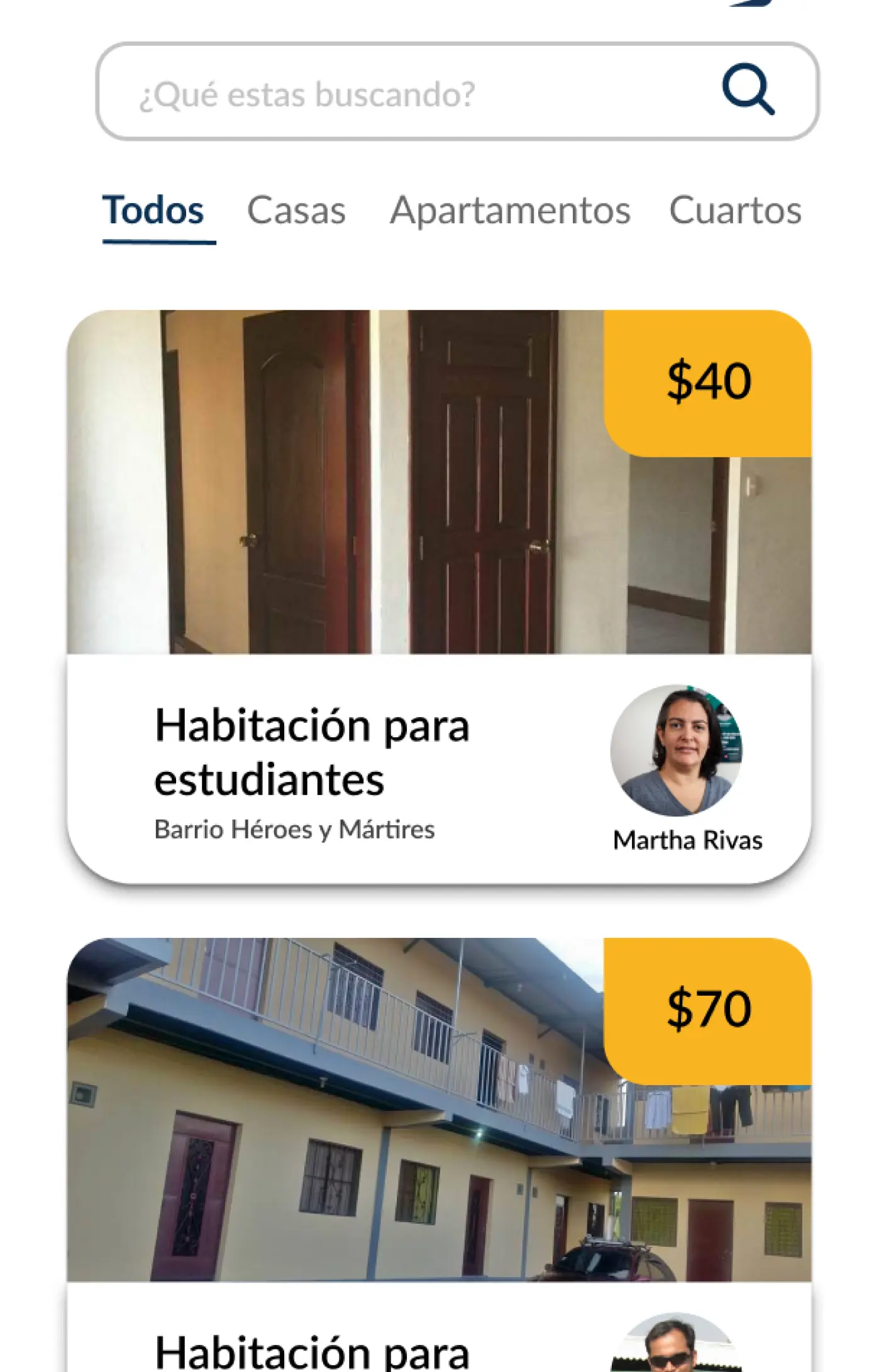
Show each one of the houses,
apartments and rooms for rent
with their market cost
For this it is necessary to show the cards of each of the rentals with their price for students to find houses, apartments, or rooms that fit their prices, likewise by entering the App students can access a 360 tour of the room they want to rent.
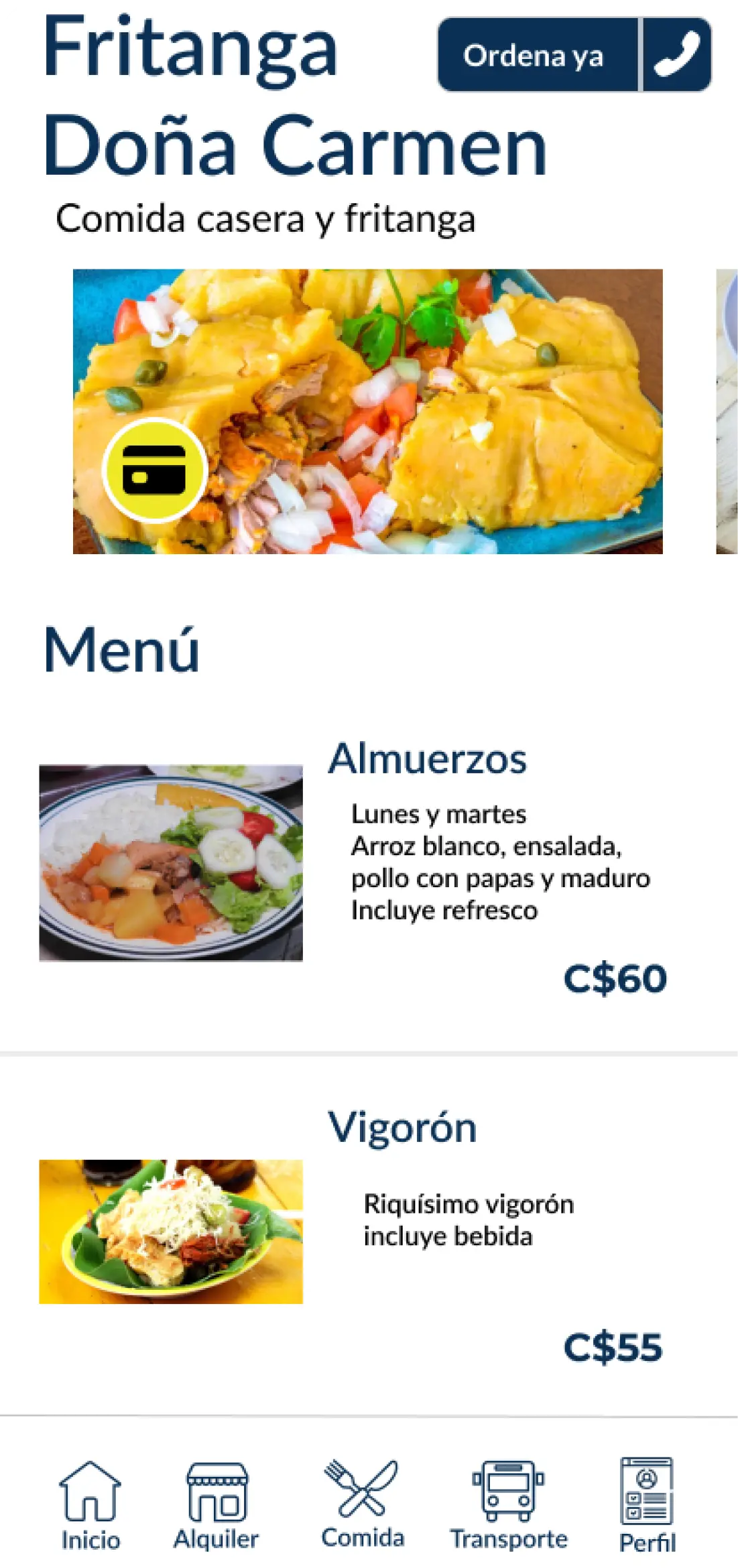
Display a digital menu of the
family food businesses
Specifically, many small businesses do not have the opportunity to hire a photographer and a designer to provide the service of creating the digital menu so they are at a total disadvantage against the competition. For this reason, the My Foreign Friend App covers the costs of creating the menu and the banners of offers. This section is simple and prices are always visible so that students can select the dish that best suits their budget.
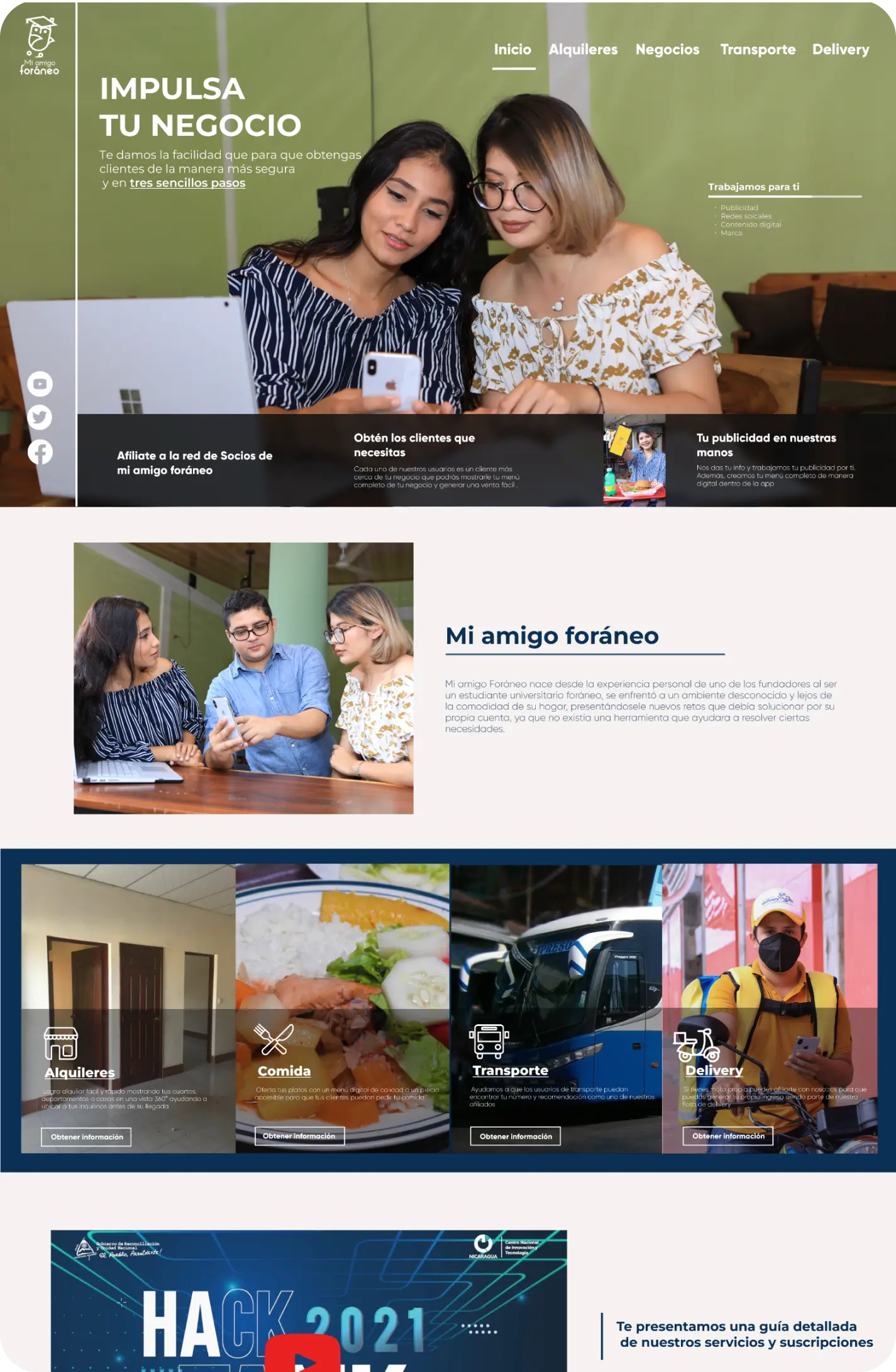
Membership for business owners
family food business owners, cab drivers
and rental owners
In the case of affiliations, it was necessary to create a space to inform about the service specifications, prices, ways to hire, and responsibilities that Mi Amigo Foraneo App has with each one of the food business owners, rental owners, and cab drivers. This is achieved in each of the specific sections of the website linked to the services offered.
Mockups
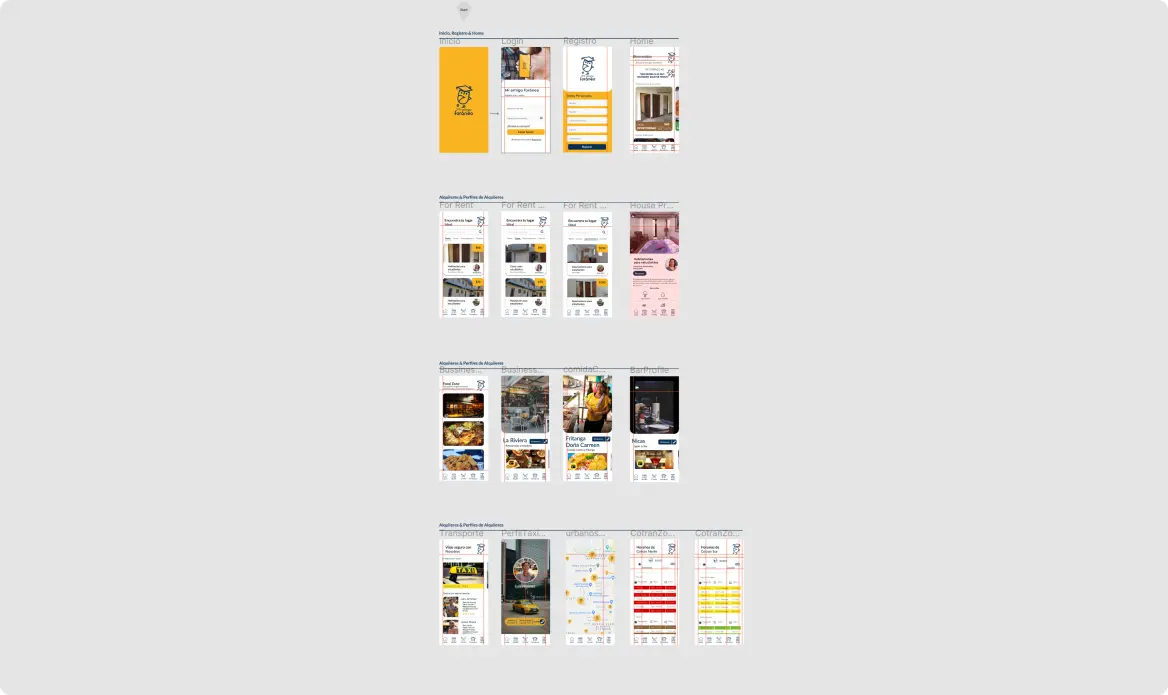
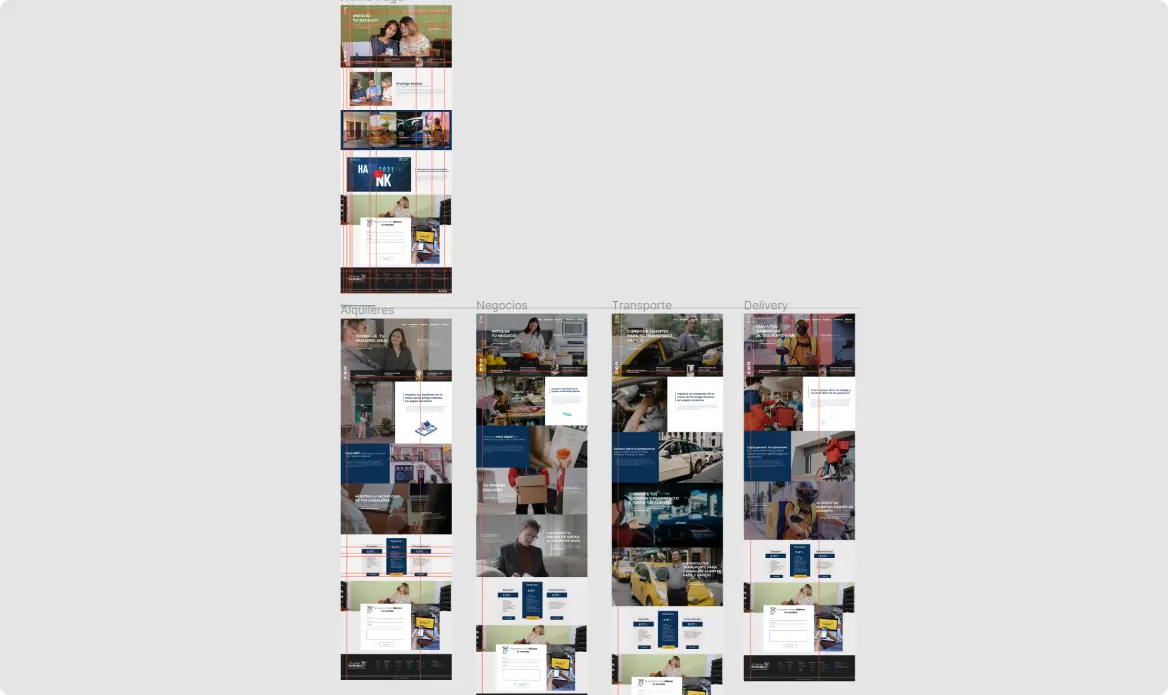
Aspects to take into account
As for Mi amigo Foraneo it is necessary to redesign it based on the new interfaces of Android or IOS since the version of IONIC worked on is outdated in its components, also work again on the website to update and organize the contents in order to facilitate its reading and processes to hire the service offered by Mi Amigo Foraneo.
What did I learn from designing my foreign friend’s App and website?
This was my first project where I spent a lot of time understanding how to structure UI for apps and websites thanks to this I learned the dimensions to make it sent to developers, the importance of working atomic design, and components. Thanks to these improvement opportunities I managed to find the Google UX Design certification where I could put into practice each of the important points for UX and UI design. Currently, I update myself following FIGMA’s account on linking to understand all the new tools that they provide in each update.
 EN
EN  ES
ES