National Multidisciplinary University
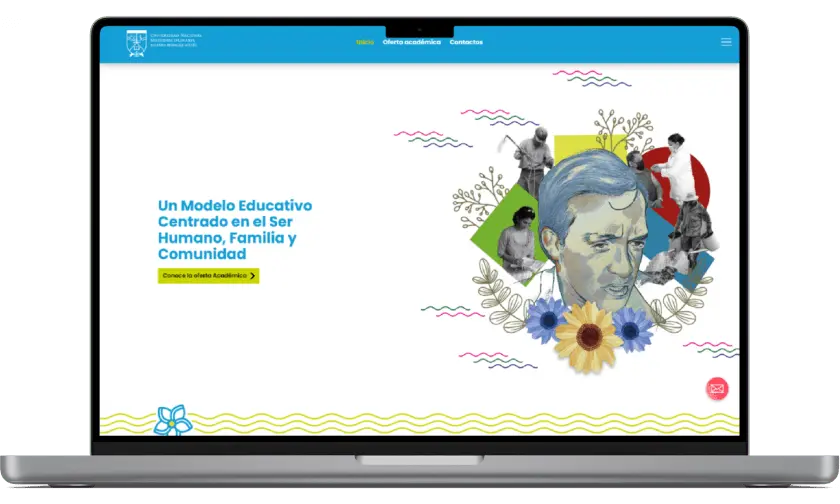
Ricardo Morales Avilés website
I worked for a period of seven months for the Ricardo Morales Aviles University where I designed the first institutional website where I worked as a former UX & UI design specialist. I delivered the complete website design, and a design system based on Divi builder components, and worked hand in hand with the WordPress developers to ensure that the design was finalized with the necessary quality.
My Role
UX Designer
Visual Designer
Project Duration
Five Months
Collaborators
2 WordPress Developers
1 Graphic designer
What are the opportunities for improvement?
The students are entering a new university because of the change of management, brand, and name that is happening, for this reason, they have many doubts about the institutional operation, the semesters passed previously, and the validity of their diplomas.
- Students do not have a website they can use to obtain information.
- Incoming students do not have a place to check academic offerings.
- Students do not have a medium where they can find out about articles from their university and contact university authorities.
The solution
I designed an institutional website that would allow an easy flow for students so that users who are not very computer-literate could find information in a simple way. Keeping in mind the three needs of students: contacting their authorities, getting information about activities or issues related to their degree, and finding the complete academic curriculum. With this in mind, the design was planned to be accessible to different types of users without being biased based on the users’ knowledge or skills, in this work.

Empathize
What are the company's goals?
What is the target market?
What are the pain points?
Who are your competitors?
What is your brand identity?

Define
How to define the User Persona?
What is the problem?
How will the meetings be organized?
What are the deliverables?

Ideate
Create Site Map
Start defining User Flows
Perform the Sketch process

Prototype
Designing Lo-Fi Wireframes
Design Hi-Fi Wireframes
Create Design Systems

Test
Obtain Stakeholder feedback
Conduct Usability Study
Validate the user experience
Design Thinking
Methodology
The Design Thinking methodology is a tool that fits perfectly to understand the company, user, and the digital product that is being worked on, using tools, tests, and deliverables that belong to the user research process, prototyping, and usability testing it is possible to develop a high-quality product.
In order to lay the groundwork, it was necessary to document the users and to propose the first interfaces of the instructional website.
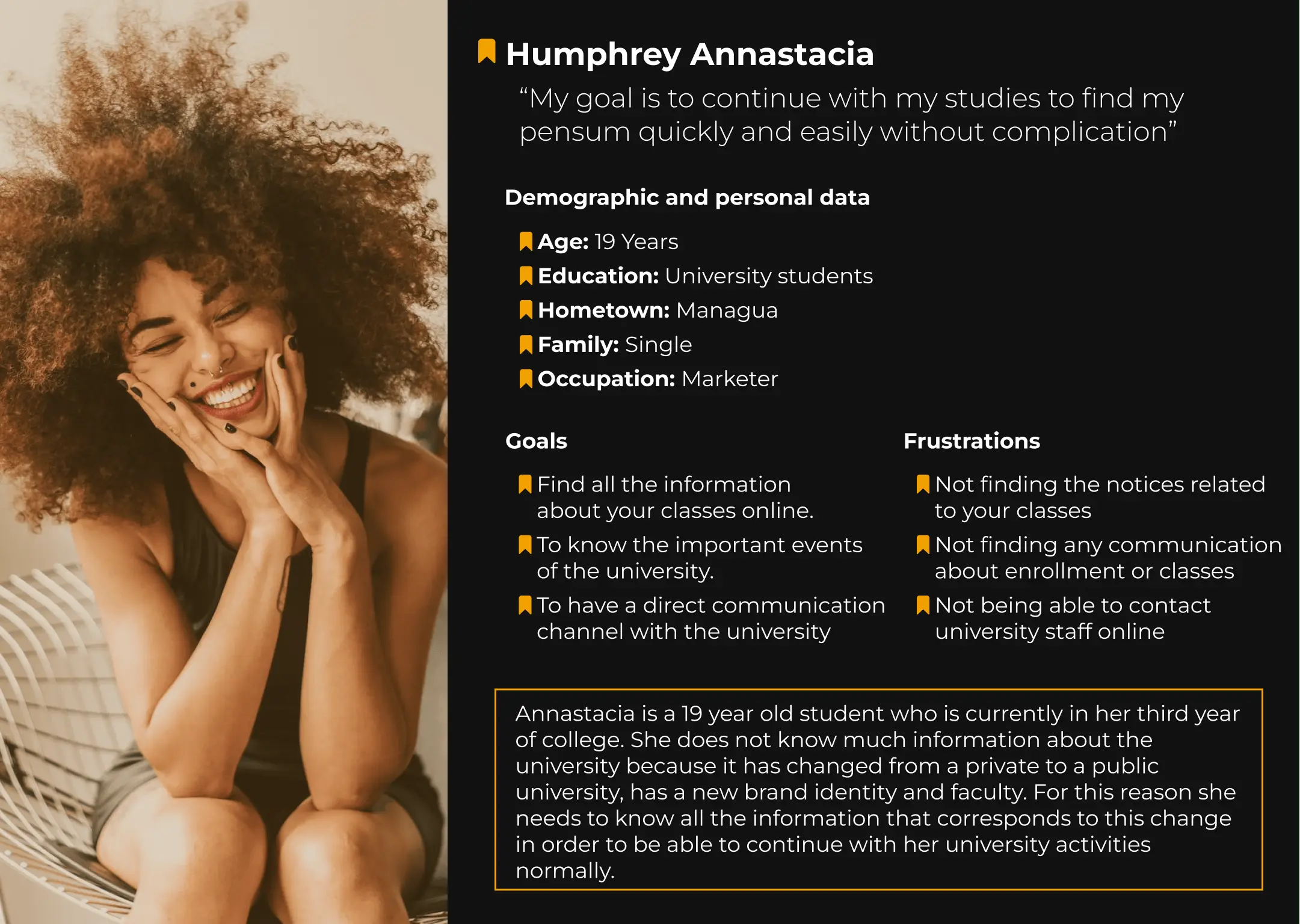
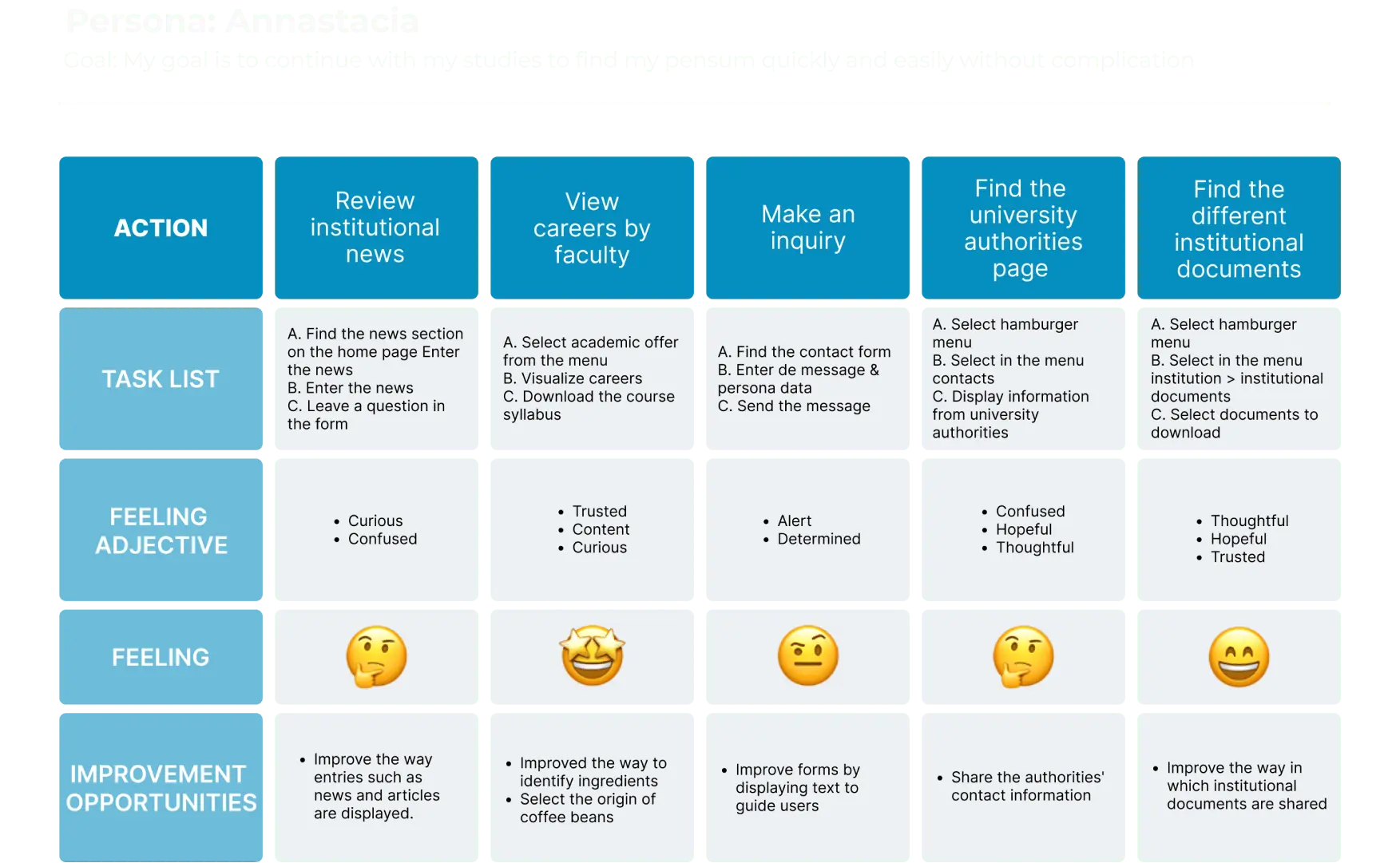
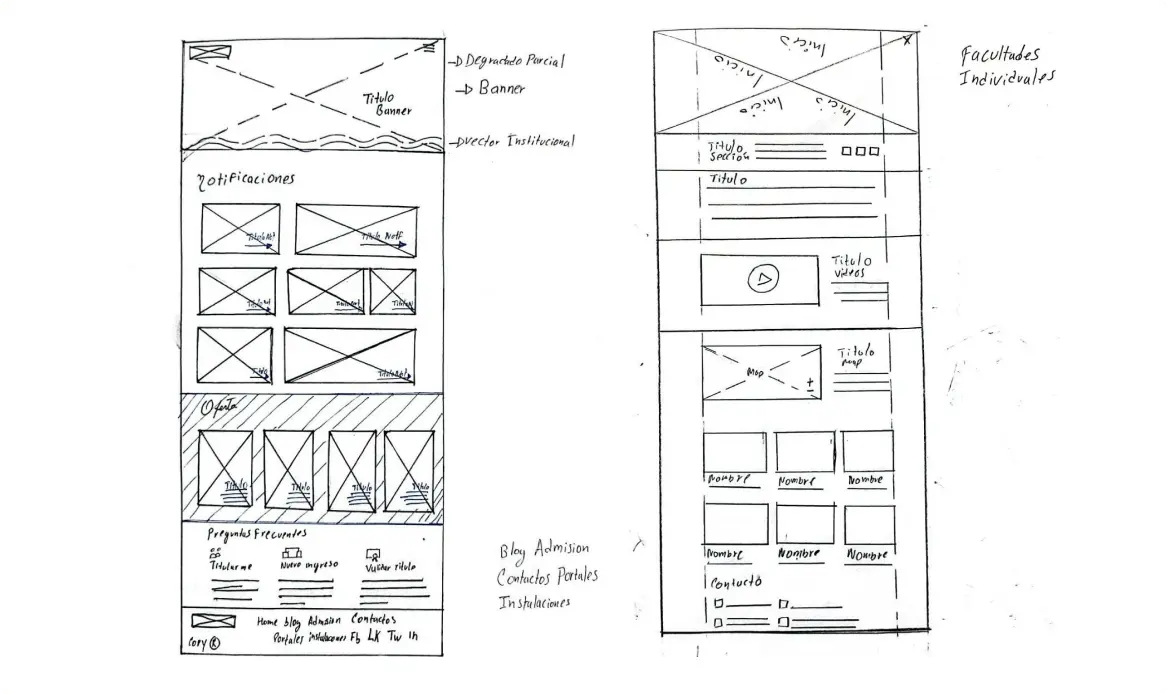
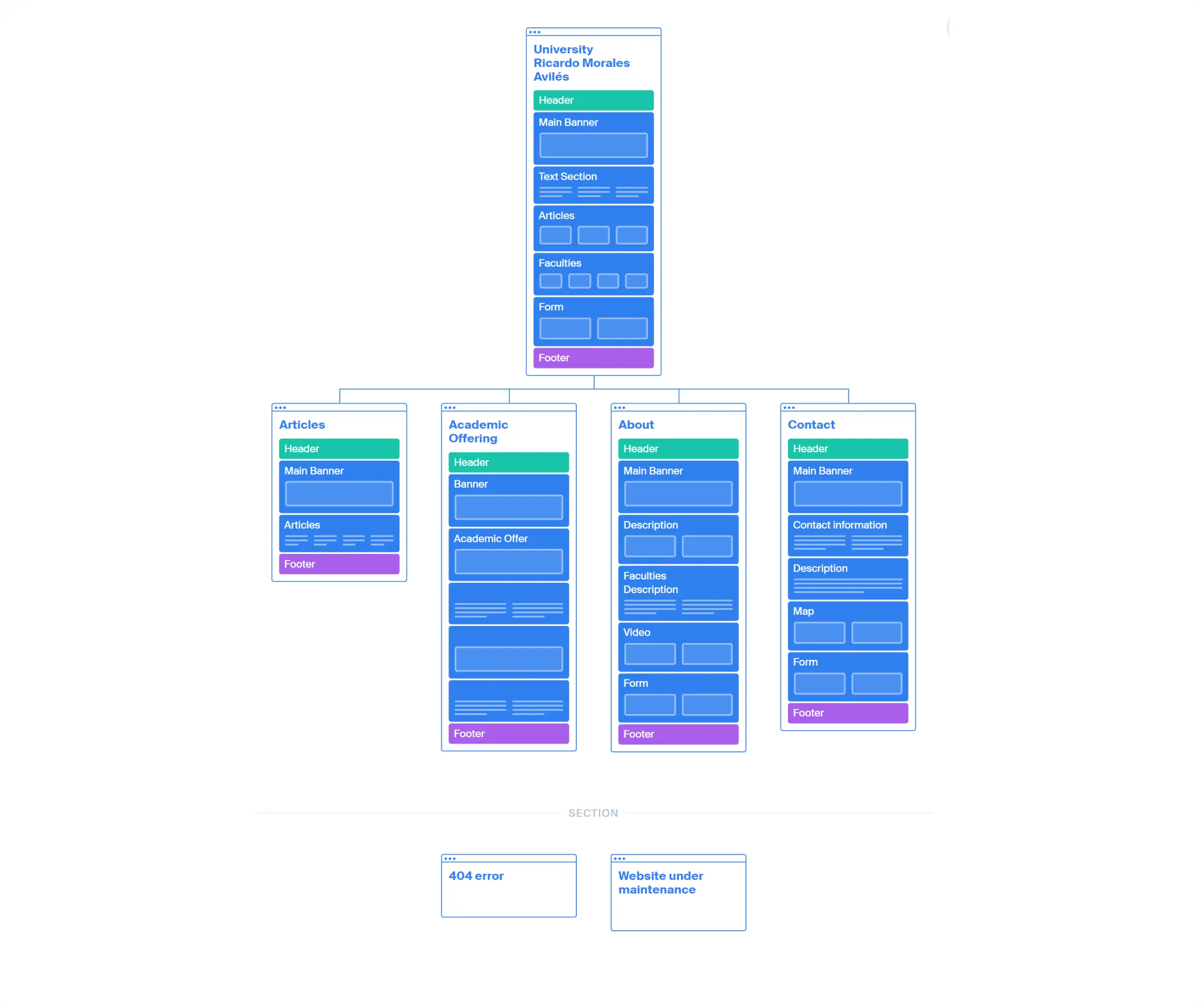
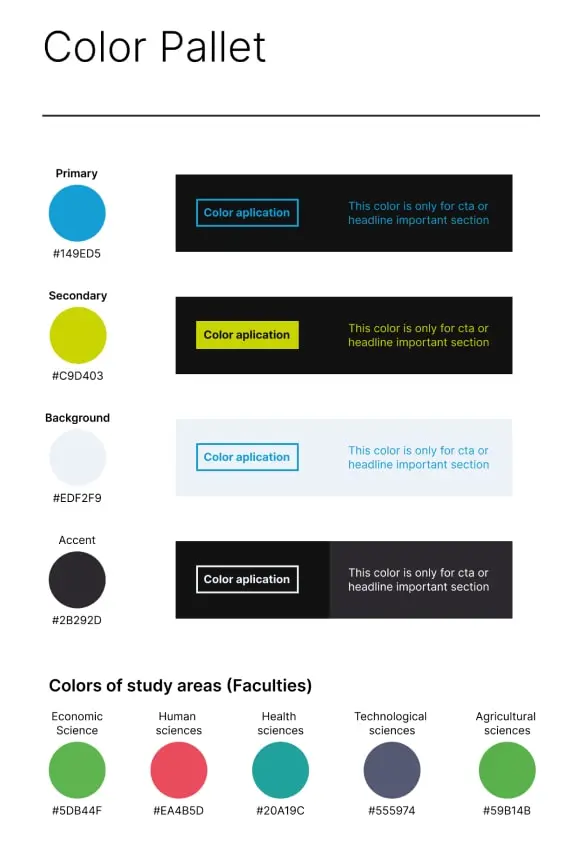
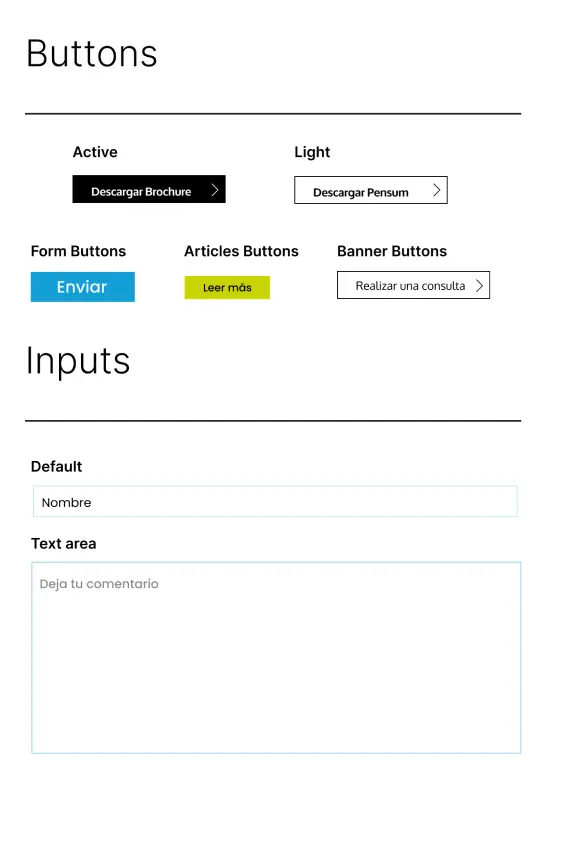
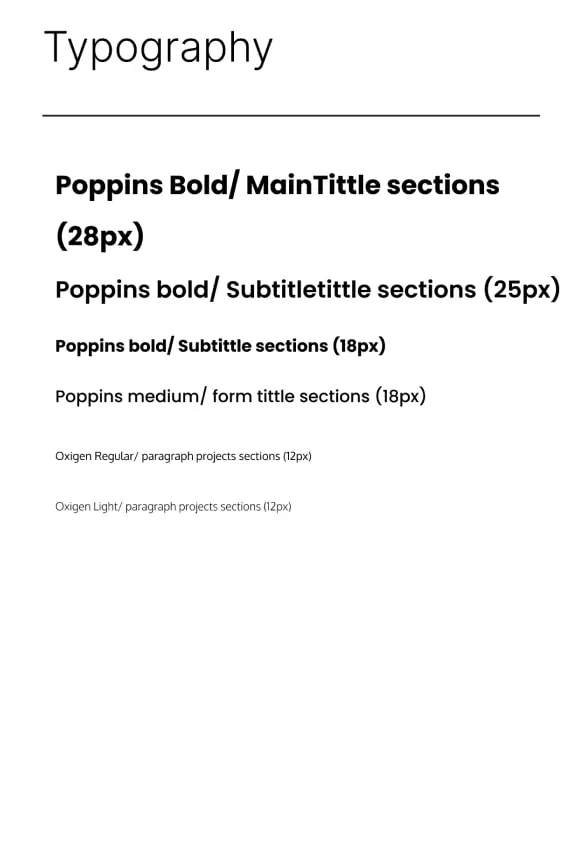
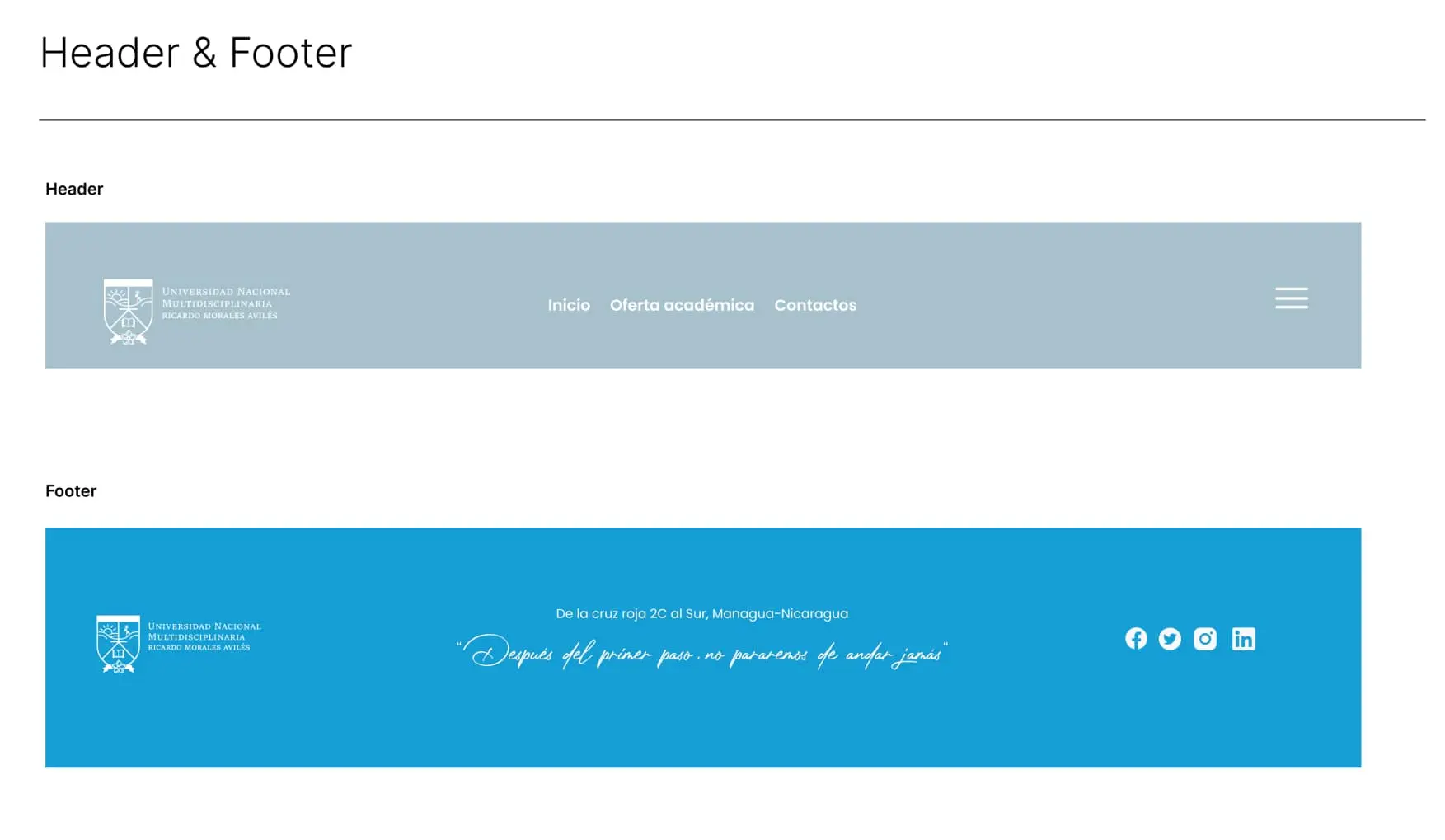
In order to correctly plan the project it was necessary to investigate the users and from this create a user persona that would lead us to generate a user journey map understanding in depth the flow that our user persona should follow, then plan the site map developing an information architecture that allows easy access to the information that the user is looking for, which leads to the creation of the first interfaces on paper or digitally and when completing the wireframe it is necessary to create a design system to deliver it to the developers so that they have the typography, colors, and elements that are part of the overall design of the website.
Design System
The areas of improvement
to connet with students
are shown below
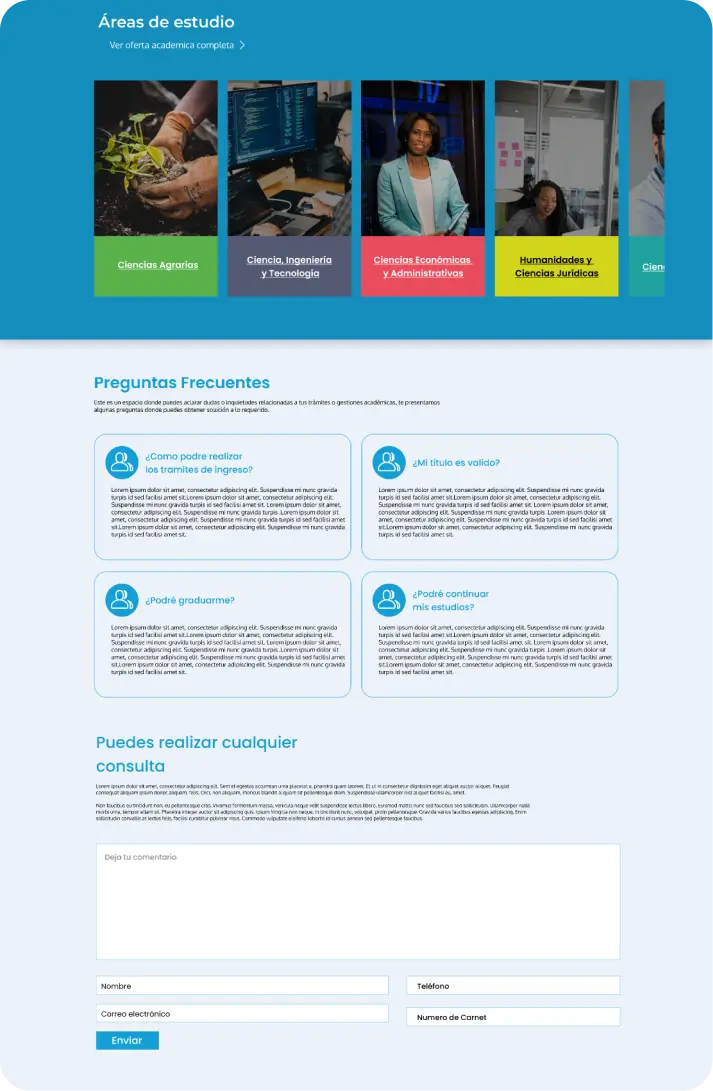
Share information on frequently asked
questions and contact authorities
In order to meet the needs of the students, a space for frequently asked questions was created to answer each of the doubts related to the procedures for the degree, classes, and curriculum of studies. If the question they need to ask does not appear, it has been decided to use a form for more specific questions and expedite each of the procedures of the students.
There is also a space dedicated to contacting the university authorities so that they can provide solutions to the students’ doubts and needs.
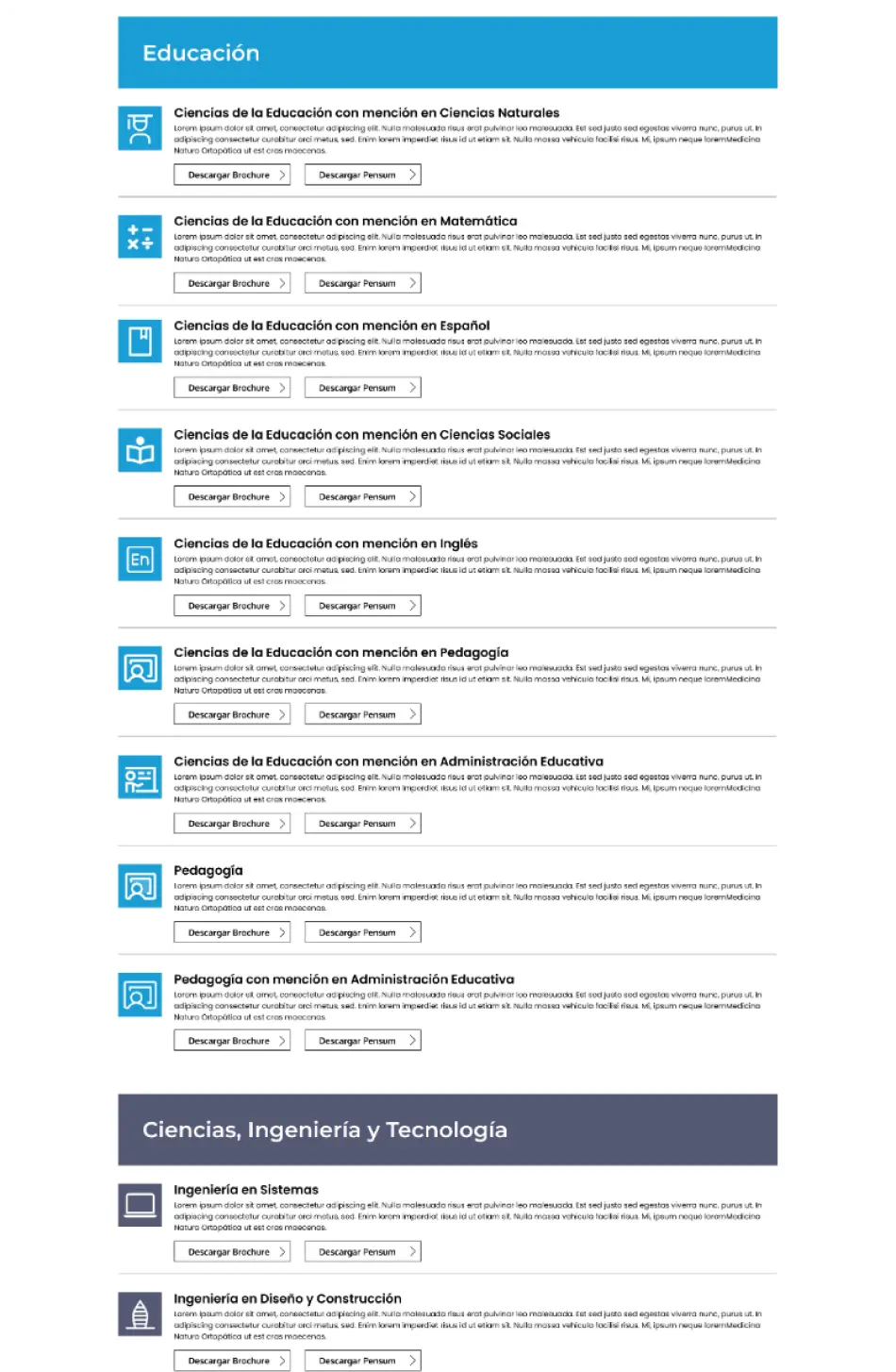
Show the complete academic offer
and share the information of the
university careers
Incoming and returning students need to know the university curriculum of their degree and understand the skills they are developing over 5 years of study. For this, it is necessary to share the documents that inform about the curriculum, job profiles, and university credits.
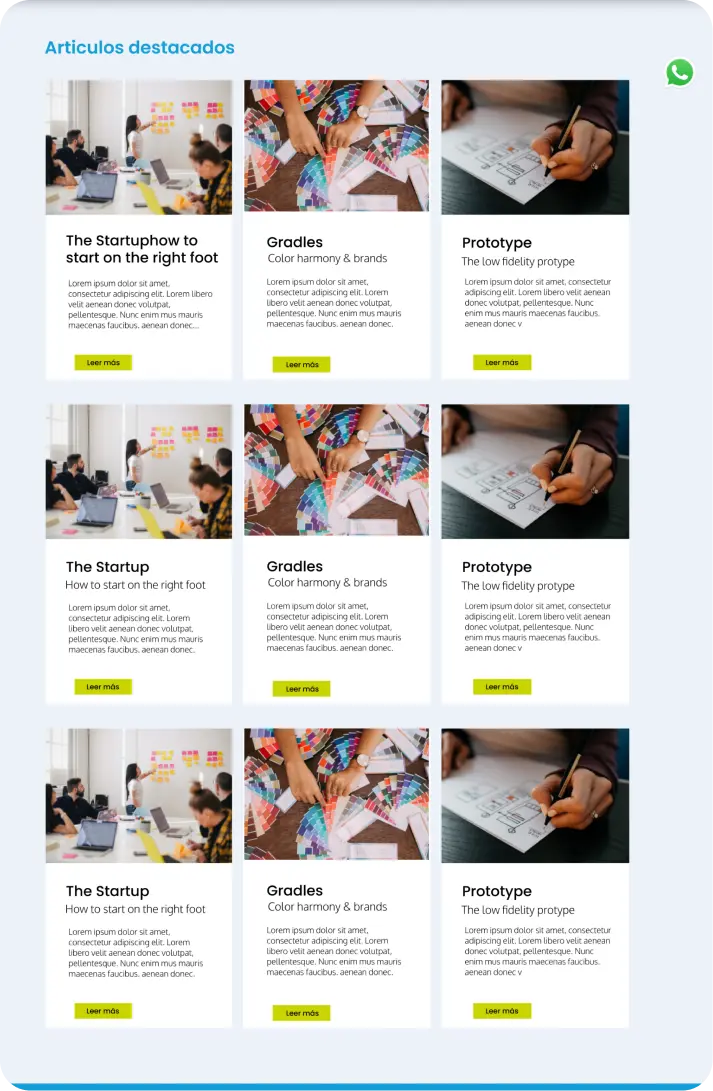
Sharing university activities and articles
with students
The university authorities need a way to share events, celebrations, and important communications for this reason it was necessary to make a space for articles and scientific research that these people decide to share to encourage the use of their theses or projects highlighted nationally and internationally.
As for the students, it is necessary to learn about the activities and university activities to be aware of any changes in their schedule, scholarships available to students, and the agreements entered into by the university.
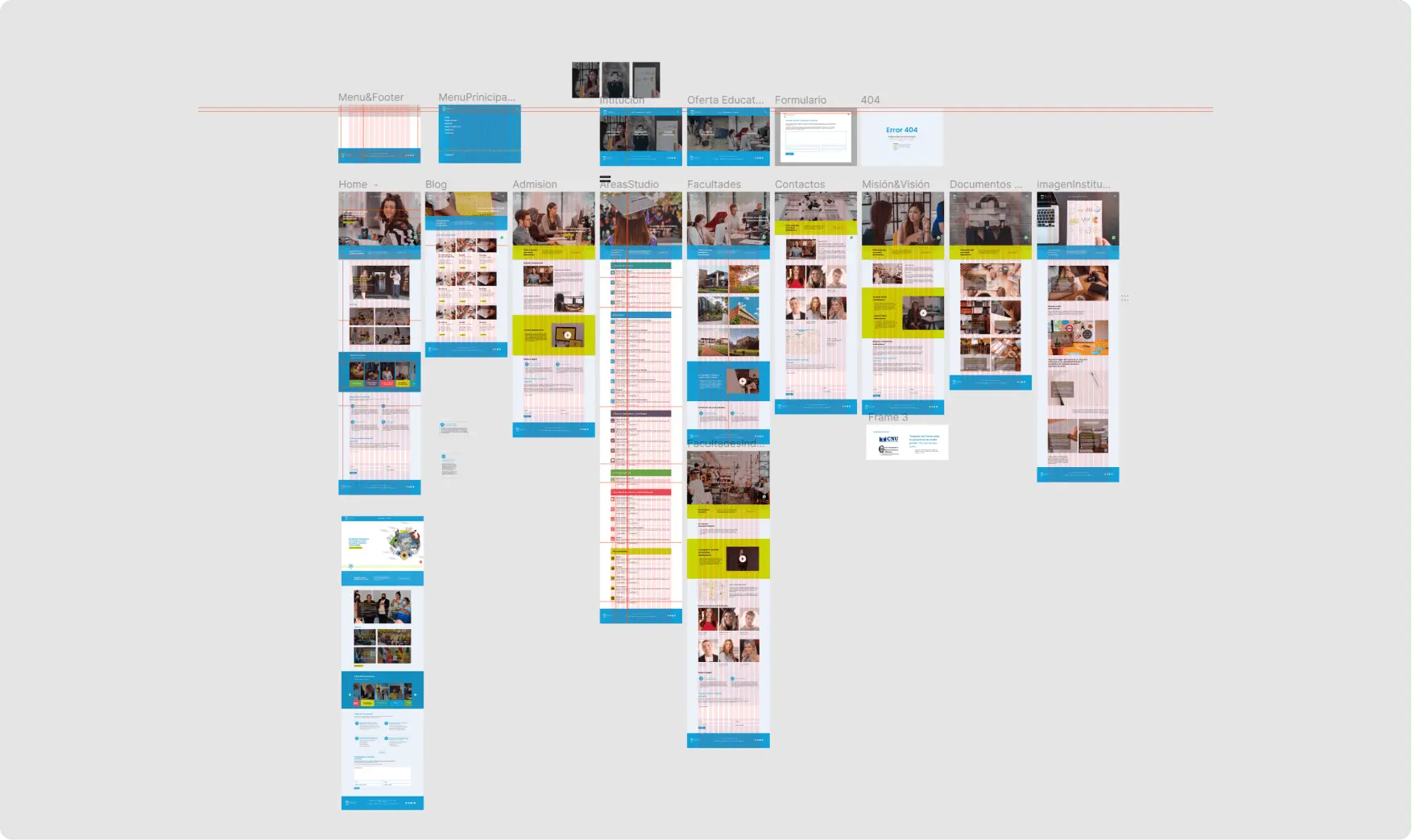
Mockups
Aspects to take into account
In the next updates of the web, it is necessary to consider the annexation of the page for each of the faculties, so that the students can ask direct questions to the persons in charge of their faculties, and also to take into account the possibility of translating the web into other languages with the purpose of reducing the language barrier and facilitating contact with other international institutions.
what did i learn in the creation of the university website?
In this process, I was able to learn about the differences in knowledge that some Nicaraguan people have since for them technology is something they are just discovering. In the case of hamburger menus, it is very difficult to know what a menu is just with the icon, so it was necessary to think of a way where they could navigate easily without feeling limited, that’s why the three most common sections were used to leave them visible so that users could interact normally with the website.
 EN
EN  ES
ES